


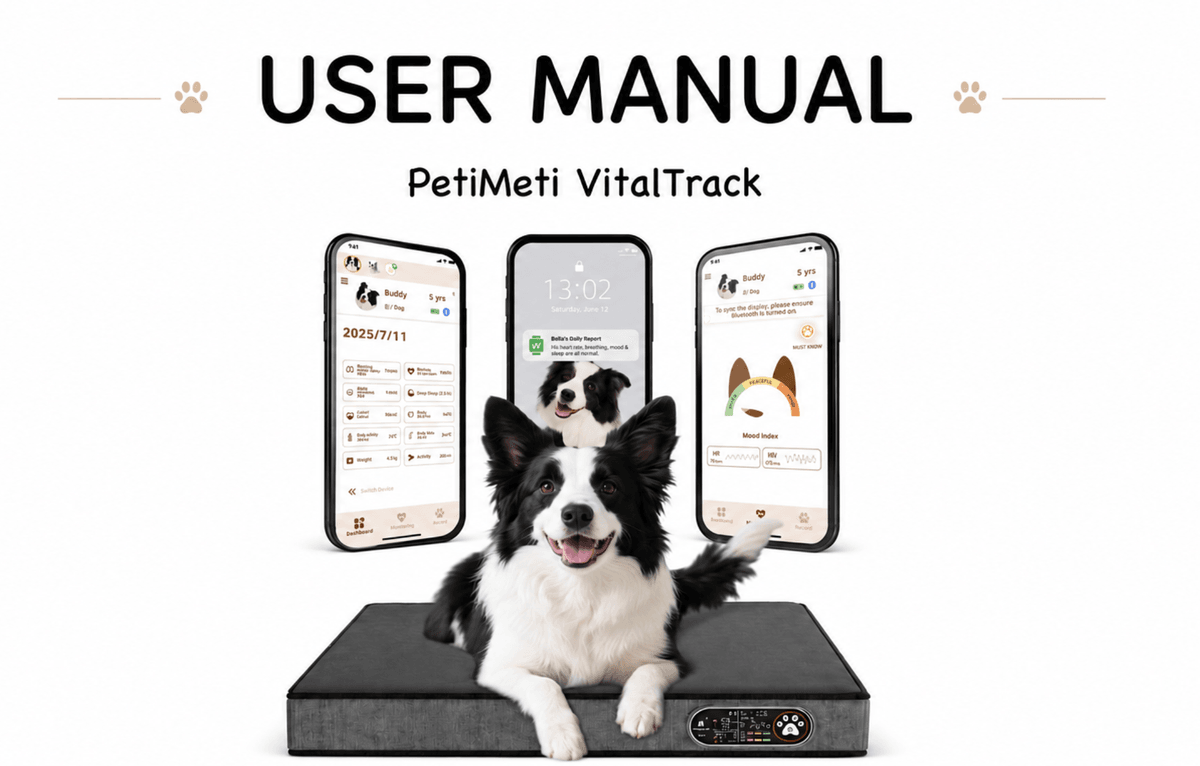
Find the key information you need before using your VitalTrack. For the best mobile reading experience, we recommend starting with the sections below.
1. Size & Weight RecommendationPlease select the correct size based on your pet’s weight to help ensure reliable monitoring performance.
Size S: Suitable for pets weighing 3–10 kg / 7–22 lbs
Size M: Suitable for pets weighing 10–22 kg / 22–49 lbs
For optimal performance, please make sure your pet’s weight falls within the recommended range for the selected size. Using the product outside the recommended weight range may affect sensor performance and lead to less reliable data.2.Screen Indicators and Button Functions
To avoid disturbing your pet, please complete settings and adjustments while the device is not in active use.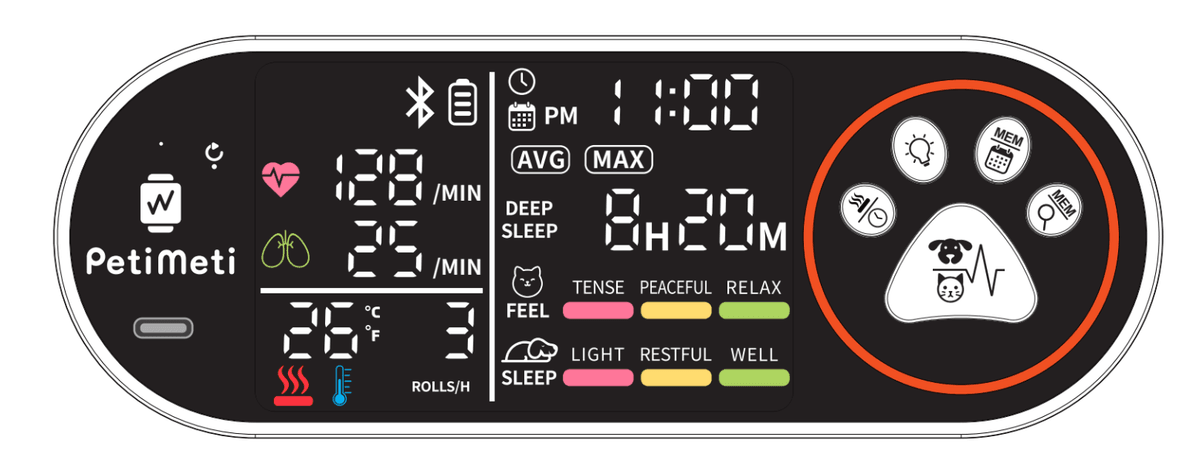
The controller screen may display different information depending on the device status, including body movement count, deep sleep duration, sleep quality, emotional index, resting heart rate, resting breath rate, ambient temperature, battery level, time, and Bluetooth connection status.
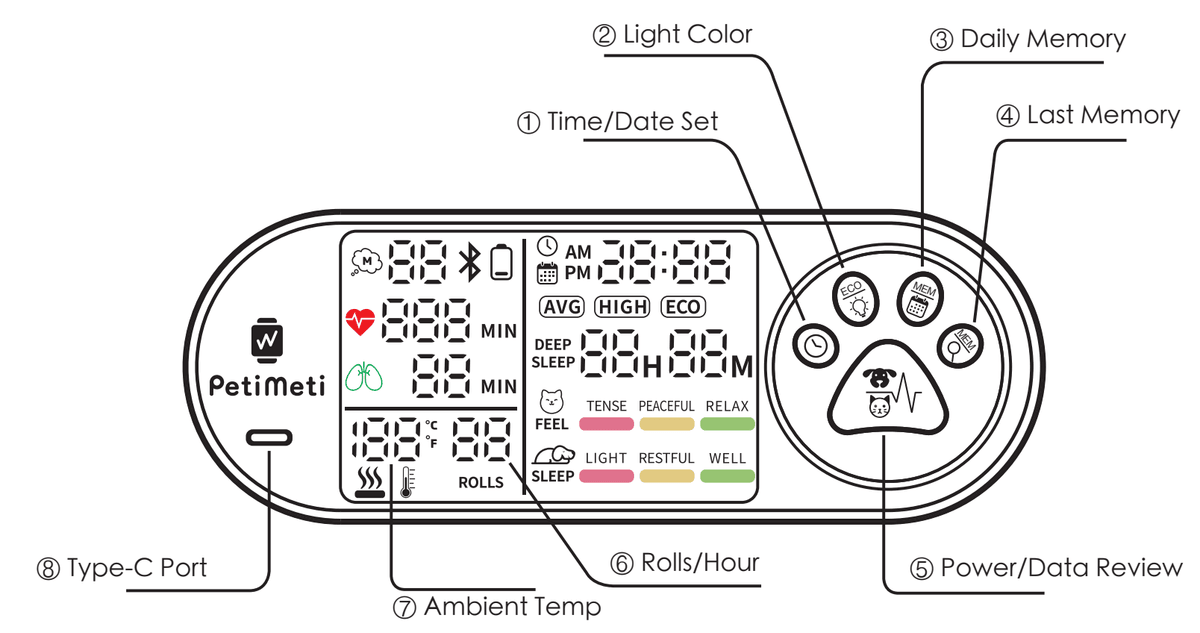
① Time/Data Set Button
Set time, display format and temperature unit
Short press when the device is off to enter system settings.
You can set the year, month, day, 12/24-hour format, hour, minute, and temperature unit.Auto-save after 1 minute of no operation.
If no button is pressed for 1 minute, the device will automatically save the current settings and exit.② Light Color Button
Adjust decorative light colors
Short press when the device is off to change the light color.
The light color cycles through orange-red, blue, and mixed mode.
Press the Power button to save.
After choosing the light color, press the Power button to save and turn off the device.Auto-save after 3 seconds of no operation.
Light color settings are only available when the device is off.③ Daily Memory Button
View the complete sleep record of the previous day
Press when the device is off to view previous daily records.
Each press shows an earlier record, from newest to oldest.
Stores up to 99 records.
When the memory is full, the oldest record will be deleted automatically.
Shows AVG and MAX data.
The screen first shows average data, such as breathing rate, heart rate, deep sleep time, sleep quality, and emotional index. Then it shows maximum data, such as highest heart rate, breathing rate, and movement.④ Last Memory Button
View the most recent sleep record lasting at least 30 minutes
Press when the device is off to view the most recent sleep record.
This function shows the previous sleep session lasting more than 30 minutes.
Press repeatedly to browse records.
Records are shown from newest to oldest.⑤ Power/Data Review Button
Power on/off, interrupt memory upload, manually check values during monitoring
Short press to power on.
When the device is off, press once to turn it on. The air cell will inflate automatically and the device will start detection.
Long press for 2 seconds to power off.
When the device is on, press and hold for 2 seconds to turn it off.
Short press during monitoring to view data.
During monitoring, press once to manually check the latest measured values, such as resting heart rate, resting breath rate, and ambient temperature.
3.Battery & Charging
Use the provided Type-C cable for charging. During charging, the battery icon will show a scrolling light effect. When fully charged, the battery icon on the controller will remain steadily lit.
Battery life can last up to 57 hours when used without being plugged in. For stable long-term use, we recommend using the device while connected to power when possible.When the battery level is low, the battery icon will appear or flash. If the battery becomes too low, the device will automatically turn off to protect the system. Low battery levels may affect monitoring reliability, so please recharge promptly.
4.Placement Guidelines
Place VitalTrack on a flat surface. Avoid uneven or sloped areas to help ensure reliable monitoring results.
Do not place blankets, thick pads, or other items on top of VitalTrack, as this may affect sensing performance.
Use the product in a dry indoor environment. Avoid exposure to moisture or high temperatures.
5.Basic Operation
VitalTrack is designed to start monitoring automatically after the device is powered on and your pet lies calmly on the mat. After startup, the air cell inflates automatically, and the device enters detection mode. If a stable pet-on-mat signal is detected, the system will begin monitoring and display measured values such as resting heart rate, resting breath rate, and ambient temperature.Main Operating Modes:
① Detection Mode
The device starts up, inflates automatically, and begins detecting whether your pet is on the mat.
② Eco Mode
The device continues monitoring with reduced screen brightness to save power. Values may update automatically every 60 seconds when valid signals are detected.
③ Sleep Mode
A deeper power-saving mode. The device checks periodically whether your pet is present and wakes when needed.
Data Recording
Sleep quality and emotional index require stable resting conditions for a sufficient duration, such as at least 40 minutes.
Need more details?You can view or download the full user manual below. For a better reading experience, we recommend viewing the full manual on a computer or tablet.
